Connect The Dots is now live in the ChatGPT plugin directory. Install it, sign in with your CTD account, and you can ask ChatGPT who in your network can introduce you to the person you need to meet. The answer comes from your own relationships.
What is the Connect The Dots plugin for ChatGPT?
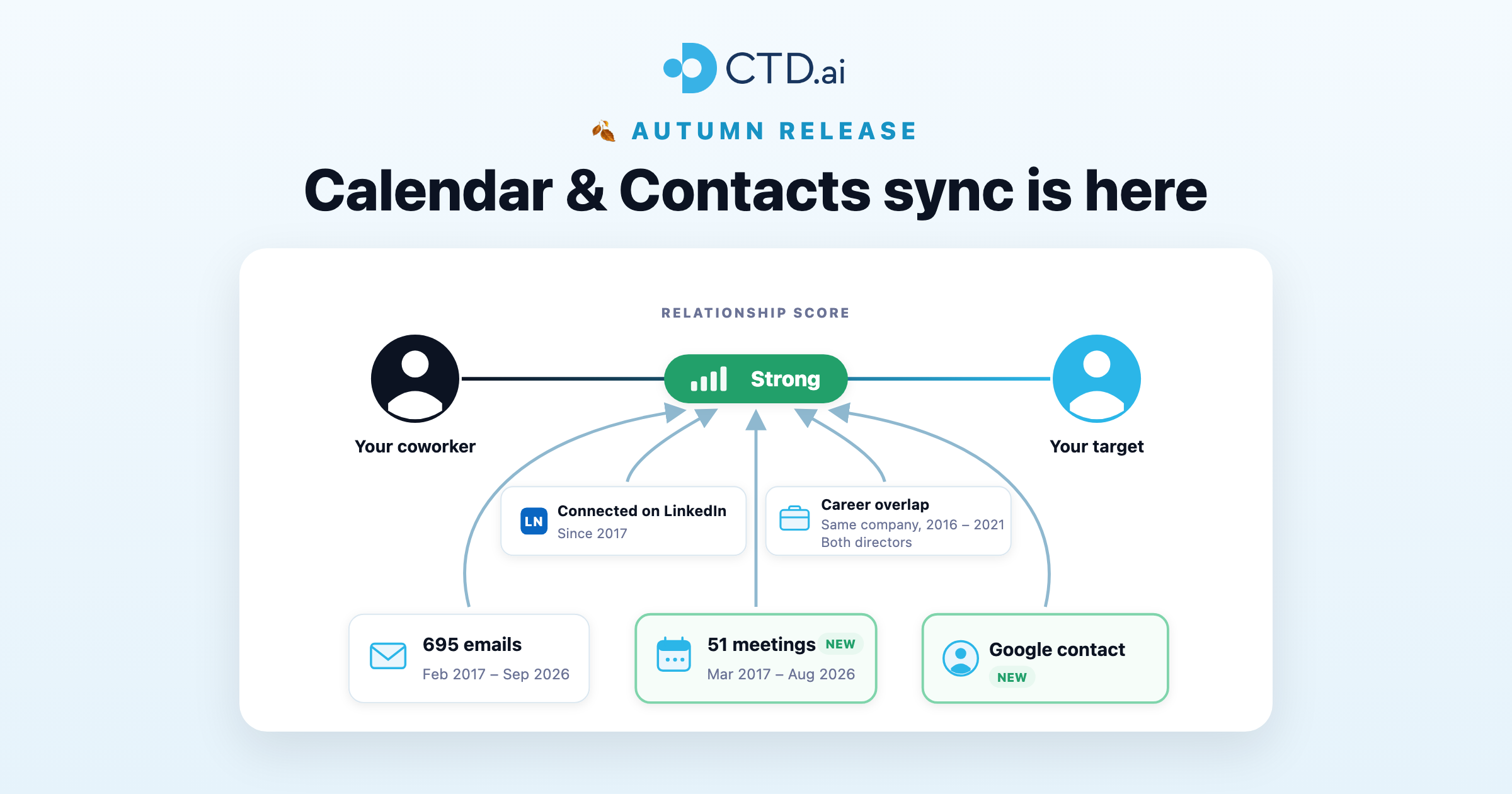
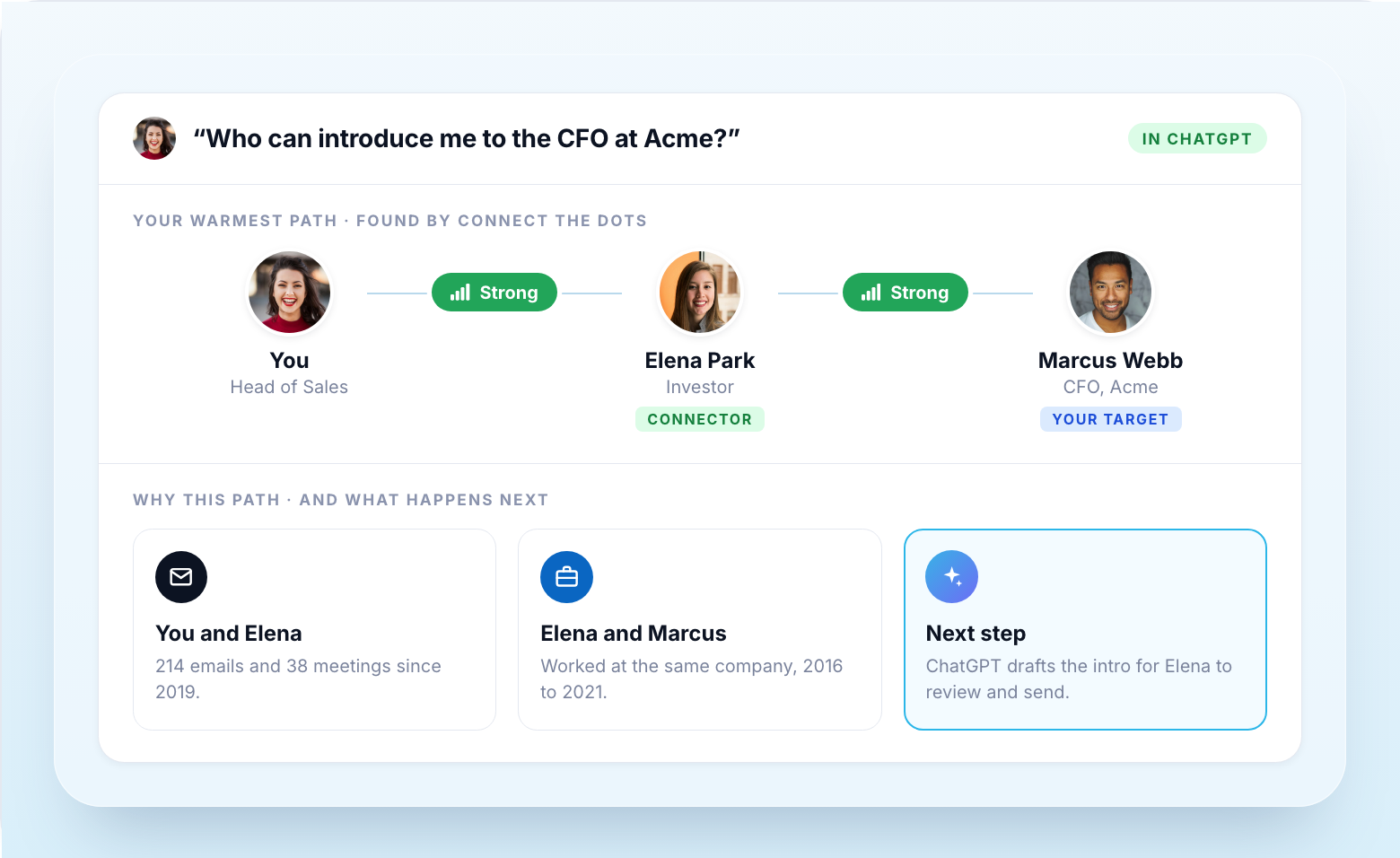
The Connect The Dots (CTD) plugin connects ChatGPT to your CTD relationship graph. CTD is relationship intelligence software: it scores how well you and your team know each person in your network, using real communication such as email, meetings and LinkedIn. With the plugin installed, ChatGPT can use that graph to find the warmest introduction path to a person or company, show how strong each relationship is, and draft the intro request.
- What it does: finds and ranks warm intro paths, searches your network by role, company and location, shows how well connected you are to a company, tracks job changes, and keeps notes and lists up to date.
- Who it is for: individuals organizing their own network, sales and business development teams, and venture capital and private equity firms.
- What you need: a ChatGPT account and a Connect The Dots account. Team-wide answers need a CTD Business workspace.
- Where to get it: the ChatGPT plugin directory.
Why we brought CTD to ChatGPT
Most people in business are one or two introductions away from almost anyone they need to meet. The hard part is seeing the path: who knows that person, how well, and whether they are the right one to ask. That is what warm introduction software is for.
A lot of work now starts in ChatGPT: researching an account, preparing for a meeting, building a list of target companies. Until now it could tell you about a company. It could not tell you how to get in.
What you can ask
Ask the way you would ask a colleague who knows everyone:
- “Who in my network can introduce me to someone at Stripe?”
- “Show me VPs and directors at Google I can reach.”
- “How well connected are we to Microsoft? Give me a quick overview.”
- “Who at our firm can introduce our portfolio company to these ten accounts?”
- “Who can Elena introduce me to?”
ChatGPT answers with real paths: the person who can make the introduction, how strong the relationship is on each side, and a link to the profile in CTD. You can keep going in the same conversation: narrow it to a role or a city, compare two connectors, or save the people you found to a list.
From an answer to an introduction
Finding the path is half the work. The other half is asking well.
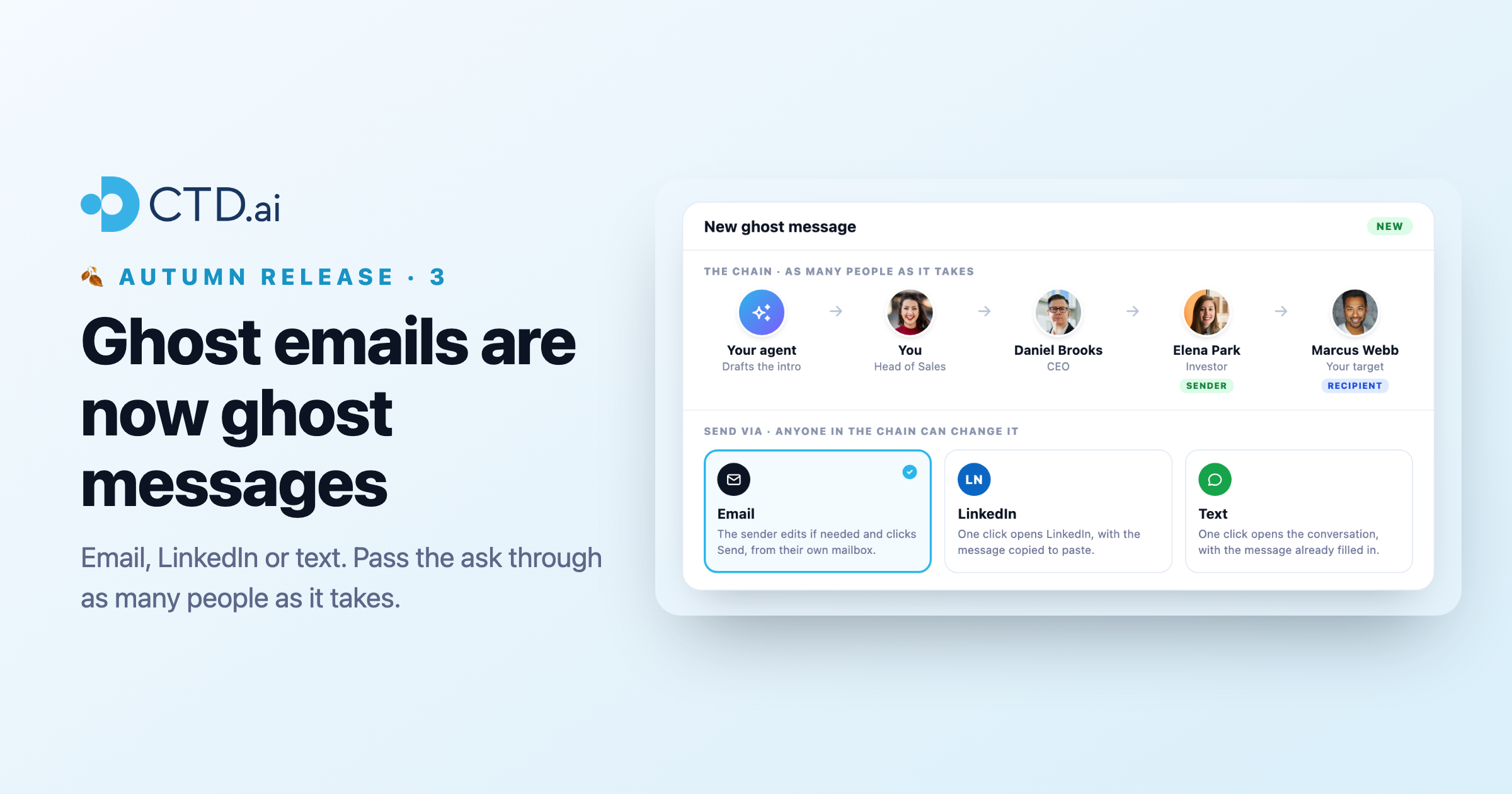
Once you have picked a connector, ask ChatGPT to draft the request. CTD creates it as a ghost message: an intro written for your connector to review, edit and send themselves. If your workspace uses approvers, it goes through them first.
Nothing reaches the person you want to meet until the sender sends it. ChatGPT does the research and the writing. A person who knows the target makes the introduction.
Your whole network, organized in one place
You don’t need a team to get value from this. CTD works for one person first: it brings your relationships together from the places they actually live and keeps them organized, so ChatGPT can answer questions about the people you know.
- “What do I know about Marcus Webb, and when did we last talk?”
- “Who do I know at Stripe?”
- “Who in my network changed jobs this month?”
- “Which of my strong contacts haven’t I spoken to in six months?”
- “Add a note on Elena: met at the summit, follow up in January.”
CTD also keeps that picture current. It tracks job changes across your network, so you know when someone you know well moves to a company you care about. Your notes, lists and relationship strength stay with each person, however you met them.
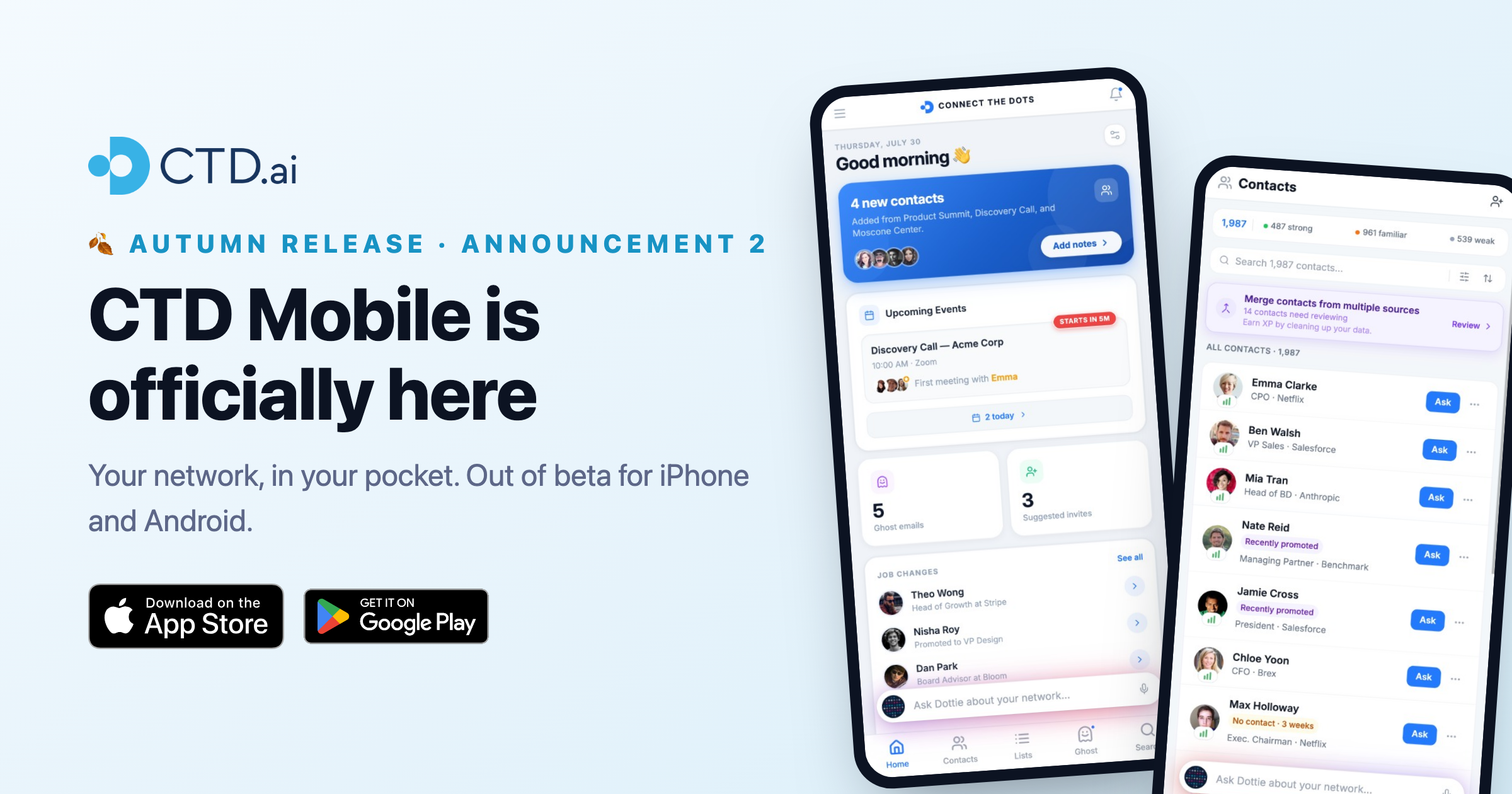
Today CTD builds your network from your email and calendar, your LinkedIn connections and messages, your iPhone contacts and your iMessages. WhatsApp is coming very soon and Slack is next. The goal is simple: every place your relationships live, in one graph that is yours.
CTD is free for individuals. See what you get on your own, then add your team when you want their network too.
Four ways teams use it
Sales: get into a target account
Ask how well connected your company is to an account, who in the roles you care about is reachable, and who should make the intro. Then turn the best path into a request without leaving the conversation. More on this in how to find out who at your company knows someone.
Venture capital and private equity: open doors for your portfolio
A portfolio company sends you the accounts it wants to reach. Paste the list and ask who at the firm can make each introduction, across partners, the team and advisors. The same question works for deal flow and diligence: who at the firm already knows this founder or this company? See how VC and PE firms use CTD, and how VCs help portfolio companies with warm intros.
Business development: open the right door first
Planning partnerships? Ask which of the companies on your list you can already reach, and start with the ones where the relationship is strongest.
Recruiting: reach a candidate through someone they trust
Before you send a cold message to a candidate, ask who on your team already knows them. A note from a former colleague gets a reply far more often than one from a stranger.
Your data stays yours
ChatGPT sees what your CTD account can see and nothing more. Results are limited to the people and companies you have access to, and your notes stay private to you unless you have shared them with your workspace.
How to get started
- Open Connect The Dots in the ChatGPT plugin directory and select Install plugin.
- Sign in with your CTD account.
- Ask your first question, for example: “Who can introduce me to someone at [company]?”
New to CTD? Sign up for free, connect your email, calendar and LinkedIn, and your network is ready to ask about.
Frequently asked questions
What does the Connect The Dots ChatGPT plugin do?
It is a plugin in the ChatGPT plugin directory that connects ChatGPT to your Connect The Dots (CTD) relationship graph. You can ask ChatGPT who in your network can introduce you to a person or company, how well connected you are to an account, or who changed jobs, and it answers from your own relationships.
How do I add Connect The Dots to ChatGPT?
Open Connect The Dots in the ChatGPT plugin directory, select Install plugin, and sign in with your CTD account. Then ask a question such as: who can introduce me to someone at a company I want to reach?
Do I need a Connect The Dots account to use it in ChatGPT?
Yes. The plugin works with your existing CTD account: install it from the ChatGPT plugin directory and sign in. Team-wide answers, such as how well connected your whole company is to an account, need a CTD workspace account.
What can ChatGPT see in my CTD account?
Only what your CTD account can access. Results are limited to the people and companies you have access to, and your notes stay private to you unless you have shared them with your workspace.
What does CTD build my network from?
Today, your email and calendar, your LinkedIn connections and messages, your iPhone contacts and your iMessages. WhatsApp is coming very soon and Slack is next, with more sources to follow. You choose which sources to connect.
Does ChatGPT send introductions on my behalf?
No. ChatGPT can find the warmest path and draft the intro request as a ghost message. The person making the introduction reviews it, can edit it, and sends it themselves.
What kind of questions can it not answer?
CTD is about relationships: who you know, how well, and who can introduce you. It does not provide company data such as revenue, funding stage or financial information.