On Business Edition, admins can add an approval layer to ghost email requests. Before a ghost email reaches the connector, it first goes to a designated approver — who reviews the draft and decides whether to forward it. This gives organizations control over outbound communication quality without creating friction for reps.
For example: all requests going through board members can be configured to first pass through the CEO. All requests going through company employees can route through the VP of Sales. The connector never sees the request until someone in that approver chain has signed off.
See Ghost email workflows for a full explanation of how the approver flow works end-to-end.
Enabling the approval layer
Go to Settings → Outreach approvers and toggle on Enable adding an approval layer for introduction requests. This activates the approver system for your organization. You can disable it at any time to revert to direct connector requests.

Default approvers
Default approvers apply organization-wide to all ghost email requests going through a given group. There are two groups:
- Enterprise Users — approvers for requests going through company employees (internal team members). Any ghost email that uses an internal colleague as the connector will route through these approvers first.
- External Members — approvers for requests going through investors, advisors, and board members. Any ghost email that uses an external member as the connector will route through these approvers first.
To add approvers to a group, click + Add next to the group and select the people who should review requests for that group. You can add multiple approvers — any one of them can approve or decline a request.
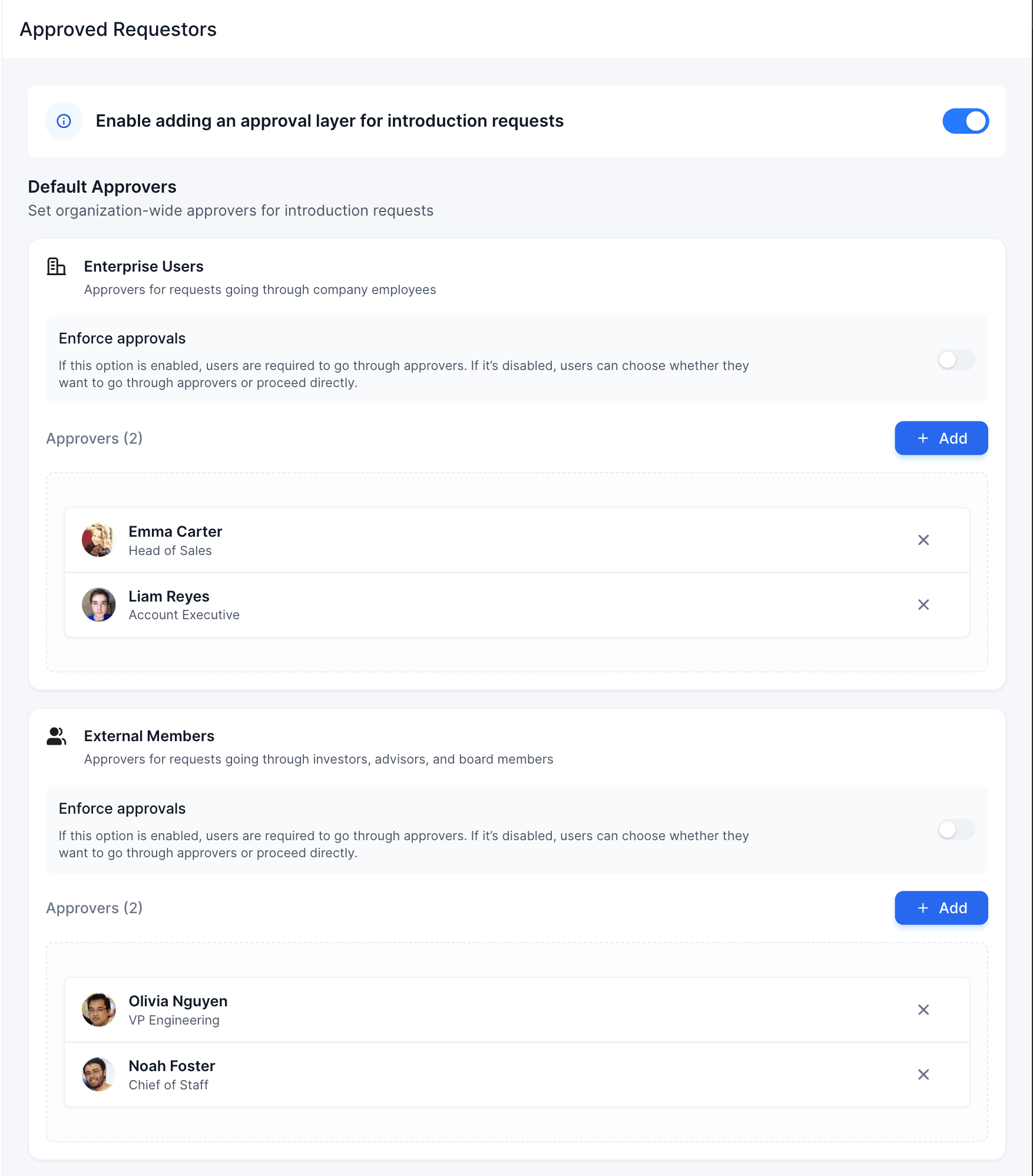
Enforce approvals
Each group has an Enforce approvals toggle:
- On — users are required to go through the configured approvers. They cannot bypass the approval step.
- Off — the approval layer exists but is optional. Users can choose whether to send the request through an approver or proceed directly to the connector.
Individual overrides
Individual overrides let you set specific approver rules for a particular person — either a coworker or an external member — regardless of the group defaults.
Use cases:
- Your CEO is an internal team member, but requests going through them should always require approval from the VP of Sales — even if enforcement isn't turned on for the Enterprise Users group as a whole.
- A specific board member should always require the CEO's sign-off before any ghost email reaches them.
To configure an individual override, go to Individual Overrides → Coworkers or Individual Overrides → External Members, click + Add, select the person, and assign their approver(s).
Each individual override also has a Mandatory Approval toggle. When on, the approval step is required for that specific person regardless of the group-level enforce setting.
What approvers see
When a ghost email request is submitted and routes to an approver, the approver receives a notification with the full draft — who it's going to, who the connector is, and the message text. They can approve it (forwarding it to the connector) or decline it (notifying the requester). The connector never sees the request until an approver has approved it.