Contacts access gives CTD read-only access to your team’s saved Google contacts.
With contacts access
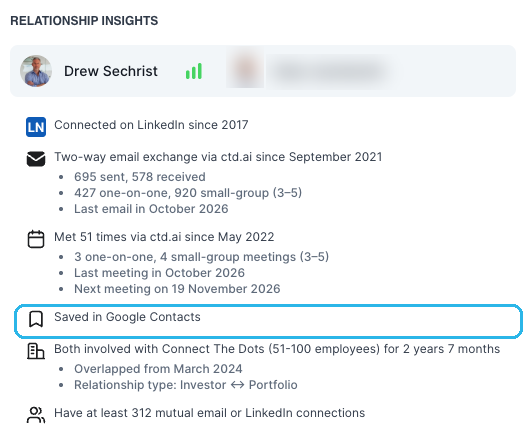
The people your team has deliberately saved, including ones who never appear in email threads, are merged into the relationship graph, deduplicated and scored. Saved contacts are one of the strongest signals that a relationship matters: saving someone is a deliberate act, and CTD treats it that way. The signal also shows up directly in Relationship Insights, so anyone evaluating a path can see the contact was saved:
Without contacts access
Contacts sync stays off. Your graph is built from the other connected signals, such as email history and LinkedIn imports.
Learn more
CTD can never modify or delete your contacts: access is strictly read-only. See adding Contacts & Calendar sync for the scopes involved and what data CTD collects.